The Human Element: Security Advice for Every Computer User
Many of our clients have recently noticed a significant uptick in malicious spam (also called phishing), and some users have been tricked. This...
2 min read
Spam continues to be an enormous problem for small and midsize businesses. We deal with it on a regular basis with client inboxes that are being overrun with spam, spam that is used as ransomware, and even some of our clients who have their own, legitimate outgoing email addresses marked as spam. Spam is much more than just what ends up in your junk mail box. It is something that needs to be consistently monitored and handled correctly.
Let’s start out with some cold-hard facts about spam:
-First, its definition…
“spam
spam/
noun
noun: spam; plural noun: spams; noun: Spam
2.
trademark
a canned meat product made mainly from ham.”
-Did you know that over 95% of all email is spam?
-Spam is big. Criminals are raking in billions of dollars using it. The majority of the most damaging malware uses spam to deliver its payloads. See this earlier article about how ransomware regularly uses spam.
-Spam filters in Office 365 entirely block about 99% of all spam, and you’ll never see it.
-Of the 1% of spam that makes it into your mailbox, some ends up in your Junk Mail or Clutter folder because it’s ‘suspicious’. It’s not bad enough to be blocked, but Office 365 still sees it as a problem.
-Another potentially damaging spam problem is ‘blacklisting’, which can shut down your company’s email address. Your company’s email addresses get listed as a possible spammer which often happens when malware-infected computers are used to ‘spoof’ your email and send spam using your address.
-And here are some false positives – spam filtering can hurt your business:
Now we’re betting you’d like to know how to keep your email from being labeled as spam. Here’s how:
Spam filters use two tests to determine if an email is spam.
If an email address is ‘blocked’ (not used much anymore because spammers can avoid this in a lot of cases).
Content – algorithms that try to identify words and word patterns spammers use.
Use an email service (MailChimp, Constant Contact, etc.) for your email marketing and bulk communications with customers and vendors. Often the content you use in marketing will get you labeled as a spammer, these services will help you avoid that. MailChimp specifically has plugins that will tell you whether or not your subject line will be flagged as spam. And another plugin that will break up your eblast into recipient chunks so that it isn’t caught as a bulk spam attempt.
Avoid high-risk words and multiple links in your email. (HubSpot.com keeps a good list on their site)
Email your customers and vendors if their email gets into your Junk Mail folders.
If you hire a Managed Service Provider such as Upward Technology we can arrange to ‘white list’ a customer or vendor’s domain. This means any email coming from them will be allowed through without filtering. This should be done as a last resort, being that spammers could be ‘spoofing’ that email, too!
The nature of the beast is that spam is something that isn’t going to go away. And consulting with an IT professional right away to make sure your company has the right defense against is vital. Also vital, and often overlooked, is that you should also consult with an IT Service Provider to make sure that your company’s domain is verified and spam-free, so that important emails going to your customers are not getting caught in their spam-filters.
Want to talk more about this and other email security issues? Please contact Upward Technology today!

Many of our clients have recently noticed a significant uptick in malicious spam (also called phishing), and some users have been tricked. This...

We recently heard an alarming story from a local non-profit organization. Despite being a relatively small non-profit, they became the victims of a...

If you hadn’t heard yet, Ransomware is a very real risk for your business. It isn’t just something that happens to big businesses or companys...
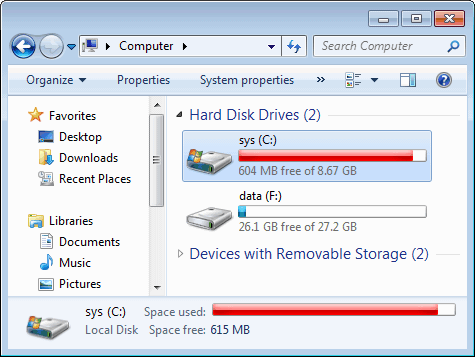
It’s something that happens to everyone eventually when you’ve been using the same computer for awhile: low disk space. For users this is annoying...